
Step 1: Know what Search covers
Search looks up three public sources at once, as our terms describe them:
- The Australian trade marks register, from IP Australia's IP RAPID data, every status, including lapsed and refused marks.
- ASIC's business and company name registers: current names, and those ASIC's files still list as cancelled or deregistered.
- Public ABN details from the Australian Business Register's ABN Bulk Extract.
Our copy is updated about once a week, so it can be behind the official registers or differ from them. The page shows the date it was last updated, and our data sources page credits each source and says where its data can be had free.
Search shows records as the registers publish them, including the names, states and postcodes of individuals. IP Australia's open data, which Search uses, leaves out the names of individuals who hold trade marks, so a trade mark held by a person says "Individual".
Step 2: Search by name, number or ABN
Open "Search the registers" in the dashboard menu. The first time, a short notice explains how Search may be used, and you choose "I agree" to go on.
Type a name, an owner, a trade mark number, an ACN or an ABN, and choose "Search". Tick "Include similar spellings" to also find names written differently but read the same way by our matching, such as KWIK for QUICK.
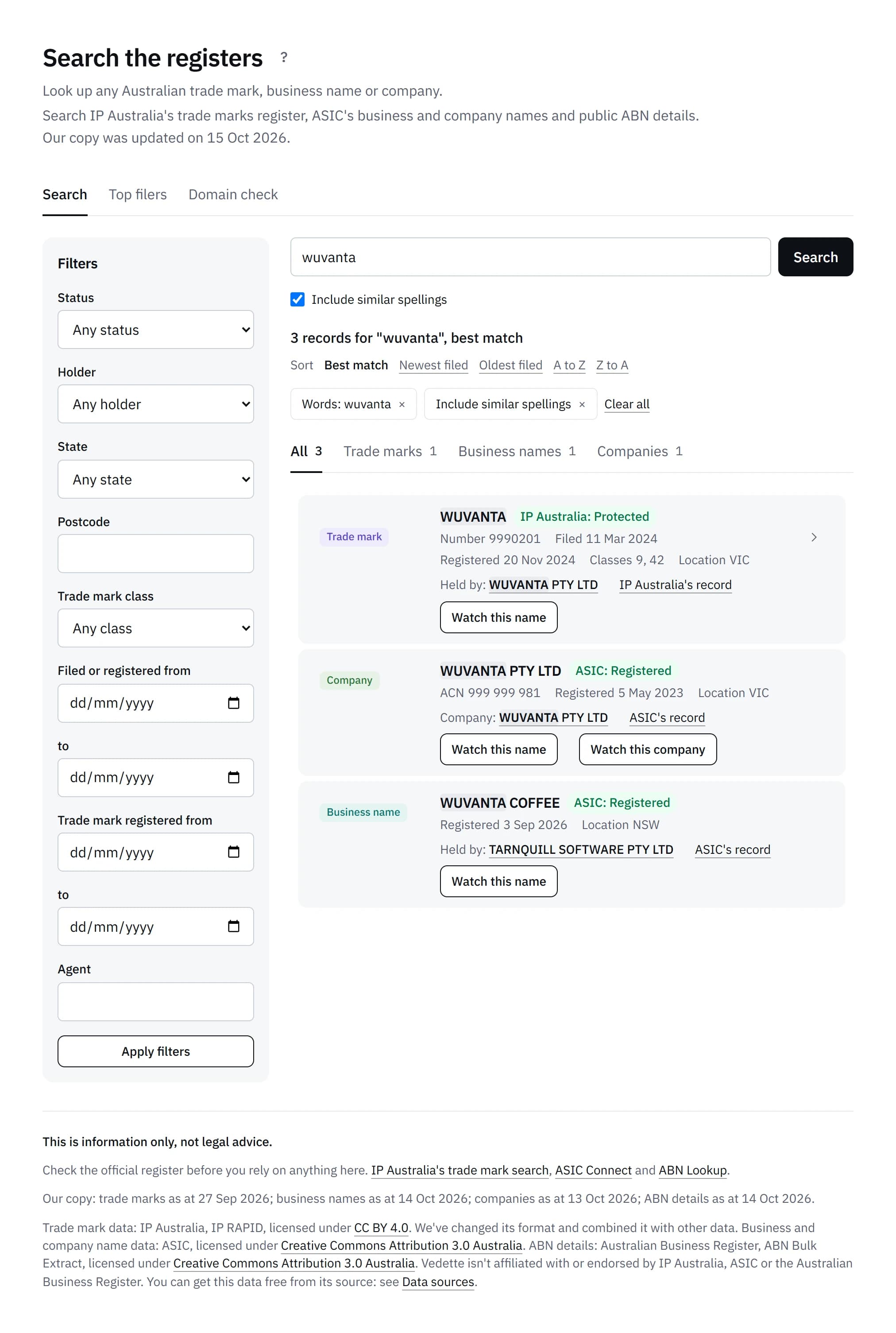
Results come as cards, one per record, with tabs for "All", "Trade marks", "Business names" and "Companies". Each card shows the record's status labelled by its source, such as "IP Australia: Accepted" or "ASIC: Registered", and the status links to our guide to trade mark, business name and company statuses. Results can be sorted by best match, newest or oldest filed, or A to Z.
An 11-digit ABN finds the records of a private or public company with that ABN. Any other ABN gives the ordinary "no records found" line. The ABN you type never appears in the page's address.
Step 3: Narrow it with filters
The filters sit beside the results on a wide screen, and under "Filters" on a phone. They are status (registered, pending trade marks or not current), holder (a company, an individual or another organisation), state, postcode, trade mark class, the dates filed or registered, and the agent who filed a trade mark.
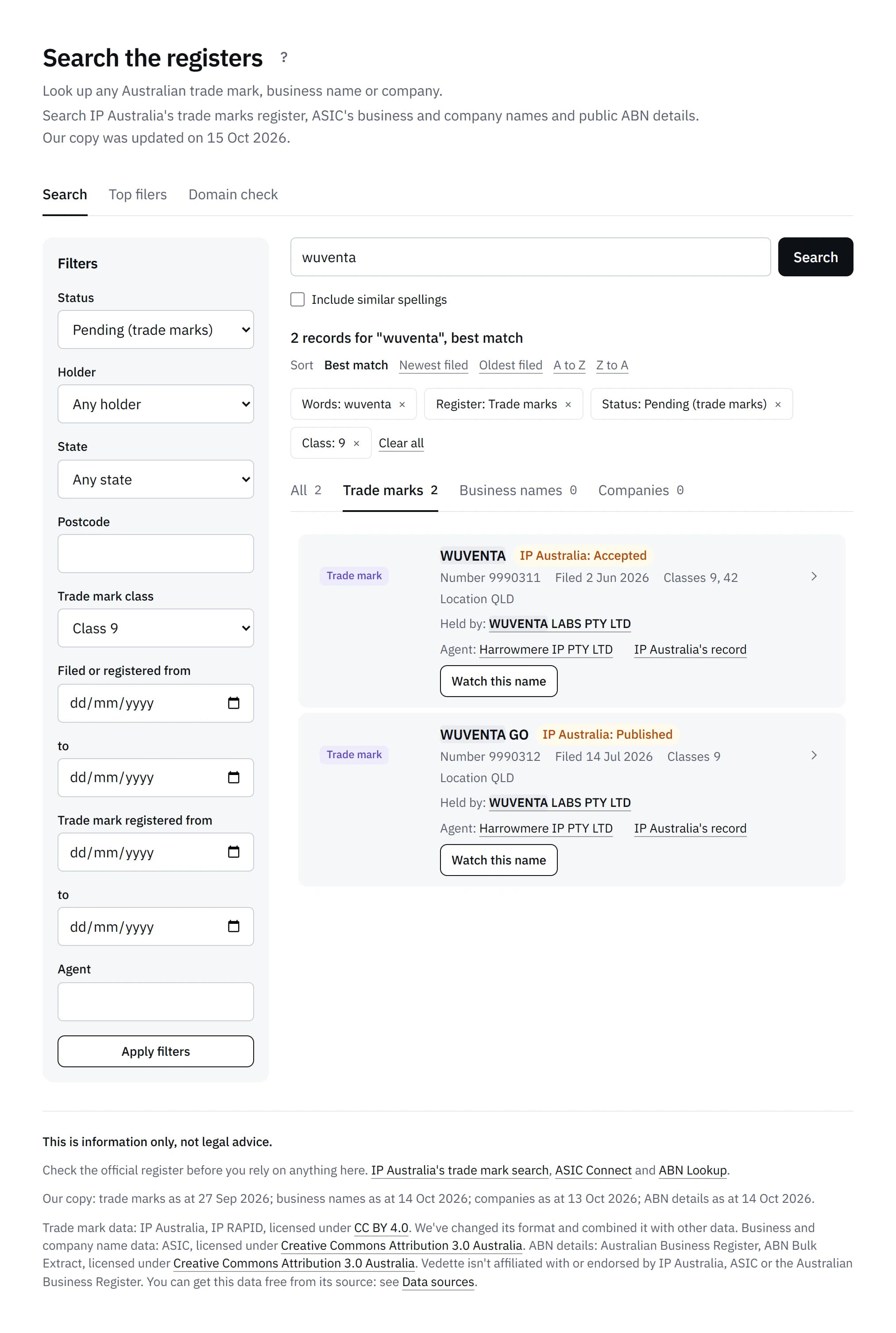
When nothing matches, the page says: "No records found in our copy of these registers, updated [date]. This doesn't mean a name is free to use or register."
Step 4: Open an owner or agent page
A trade mark owner's or business name holder's name links to their own page. It lists their records, with the trade marks they've filed each year and the classes they file in most. The same filters and sorting work there.
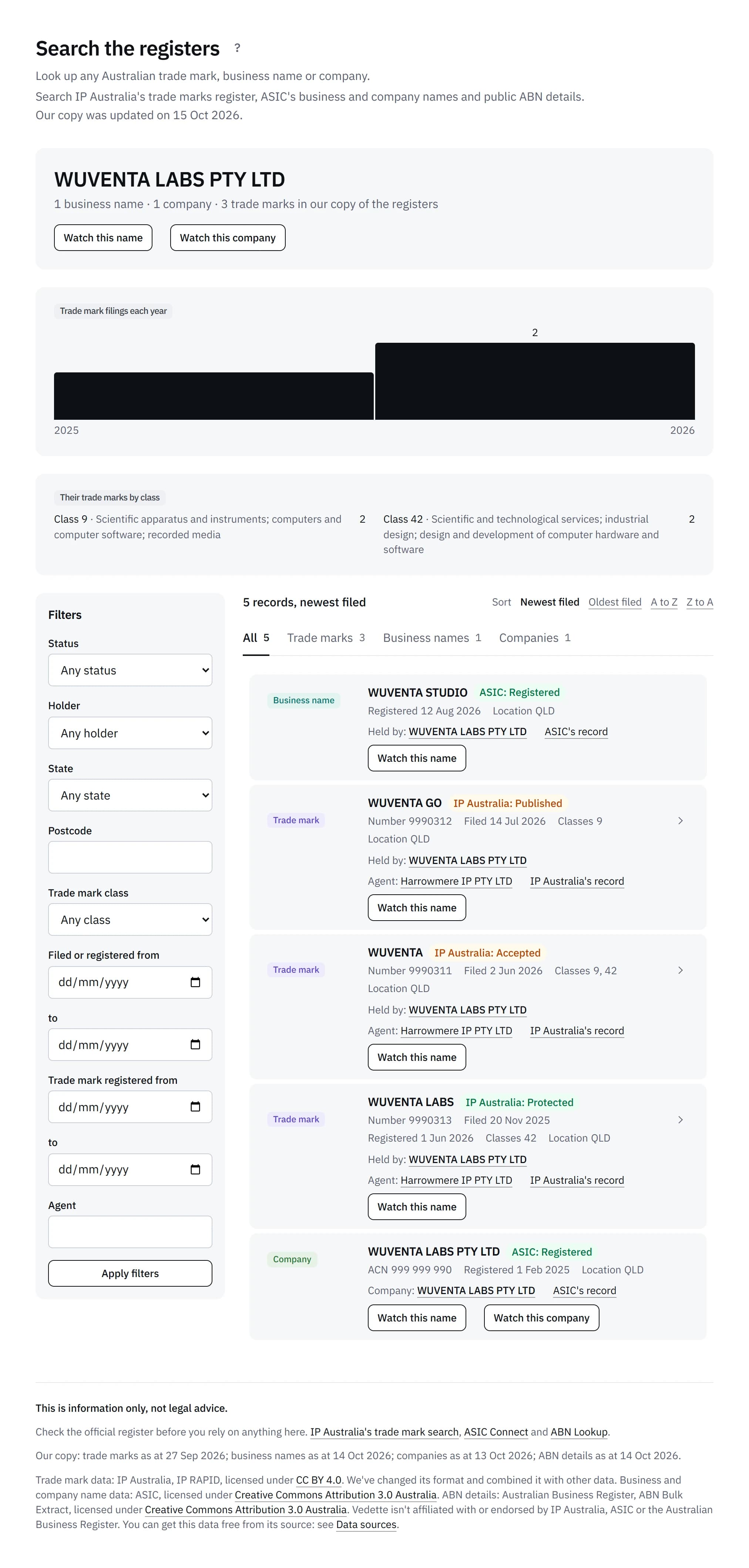
An agent's name on a trade mark links to every trade mark filed through that agent. IP Australia's data names agents that are organisations, so an individual agent has no page. Each trade mark also has a page of its own, with its dates as a timeline and a link to IP Australia's record.
Step 5: See the top filers
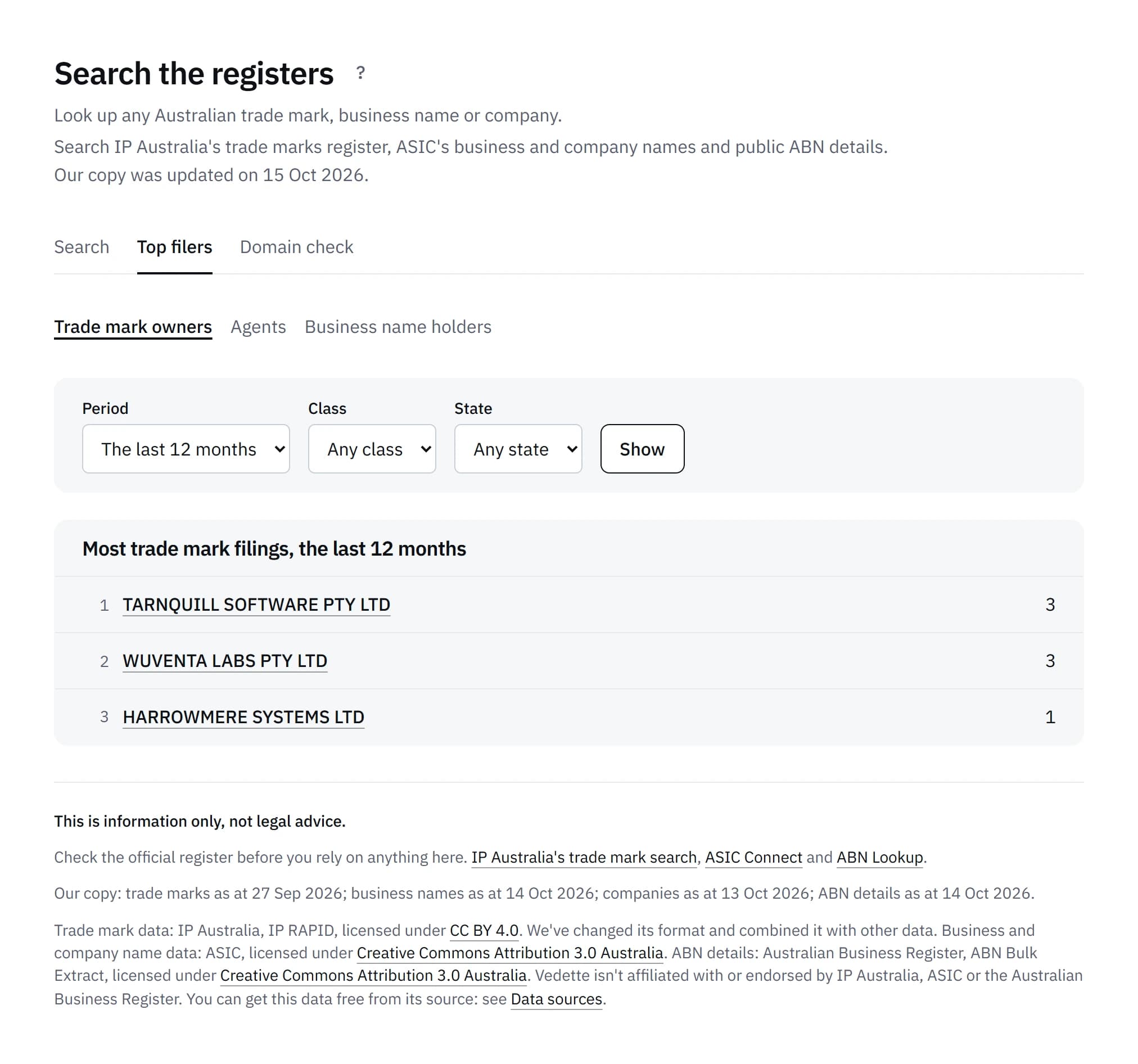
"Top filers" lists the trade mark owners, agents and business name holders with the most records, 50 at a time. Choose a period, a class or a state and "Show" to change the list. Every name links to its page.
Step 6: Watch a name or a company
Every result has "Watch this name". It opens the form to add a brand with the record's words filled in, and a trade mark's classes too, within your plan's limit. Our guide on how to monitor your business name explains what happens after that.
A company also has "Watch this company", which opens "Watch a competitor" with the company's name searched. Competitor watch comes with the Standard, Business and Portfolio plans, so on Solo it says "Available on Standard and up". Our guide on how to monitor a competitor's new trade marks covers the rest.
Step 7: Know what Search can't do
Search isn't a clearance search. A result, or no result, doesn't tell you whether a name is free to use or register, whether it affects your rights, or whether to take any step. Check the official register before you rely on anything Search shows.
Results are shown on screen only. There are no downloads or exports, and each account has limits:
| Limit | How many |
|---|---|
| Searches a day | 300, or 100 during the free trial |
| Searches a minute | 20, then a quick check before more |
| Results a page | 25, up to 500 for one search |
Search is for checking names and trade marks. Our terms don't allow using it to copy, collect or compile records in bulk, to build a list of people or businesses, to send unsolicited marketing to the people or businesses named in it, or to locate, contact or harass anyone listed. It can't be used by scripts or other automated tools, and only people in your own business may use it through your account.
Step 8: Compare it with the free search
Our free trade mark and business name search is a different tool. Anyone can use it without signing in. It checks one name, and the industries you pick, against every trade mark on record and ASIC's business and company names, and rates each close one High, Medium or Low. It doesn't list records to browse, and it has no filters, owner pages or top filers.
Search the registers works the other way round: it finds records themselves, with no similarity level. Neither replaces the official searches, IP Australia's Australian Trade Mark Search and ASIC's business names register search, which hold the record.
Common questions
Is Search included in the free trial?
Yes. It comes with every plan, including the free trial, with up to 100 searches a day during the trial.
Can I download or export results?
No. Results are shown on screen only, and there's no download, export or print view.
Why does a trade mark say "Individual" instead of a name?
IP Australia's open data, which Search uses, leaves out the names of individuals who hold trade marks. A business name holder's name can show, as the ABN Bulk Extract publishes it.
How up to date is it?
We update it about once a week. Each source's date is shown on the page, and the official registers can have newer records.
Sources
- Australian Trade Mark Search (IP Australia)
- Business names register (ASIC)
- IP RAPID (IP Australia, on data.gov.au)
What Vedette does is described as it worked on 17 October 2026. Search's limits and the uses our terms don't allow are set out in our terms, clauses 2.19, 2.20, 3.10 and 10.1.