
Step 1: Know what competitor watch does
It answers a different question from the rest of Vedette. Your brands are compared with every new filing to find names like yours, whoever files them. Competitor watch reports anything a chosen company files, whatever the name.
It reports facts only: the words, the classes, the filing date, the status and a link to IP Australia's record. There's no similarity level and no deadline.
Only filings that appear after you add a company are reported. Its earlier ones are on the company's own page in your dashboard, under "All their filings on record".
New filings are loaded within hours of IP Australia publishing them. The email goes out at most once a day, from 8am Melbourne time.
Step 2: Check your plan includes it
Competitor watch comes with every plan that lists a number of competitors in the table below, and the number is how many companies you can watch at once. The free trial has your plan's full allowance. Our pricing page has the same figures, and prices include GST.
| Plan | Trade marks or brand names | Competitors | Paying monthly | Paying yearly |
|---|---|---|---|---|
| Solo | 1 | Not included | A$19.99 a month | A$191.99 a year |
| Standard | 3 | 3 | A$29.99 a month | A$287.99 a year |
| Business | 10 | 10 | A$49.99 a month | A$479.99 a year |
| Portfolio | 50 | 50 | A$129.99 a month | A$1,247.99 a year |
Step 3: Add a competitor
- In your dashboard, open Competitors and choose "Add a competitor".
- Type the company's name, at least 3 letters, and search.
- Read the results: up to 10 companies that have filed Australian trade marks in the last 2 years, those with the most filings first. Each shows its ABN where IP Australia's data has one, its state or country, and how many filings it has made.
- Choose "Watch this company" beside the right one.
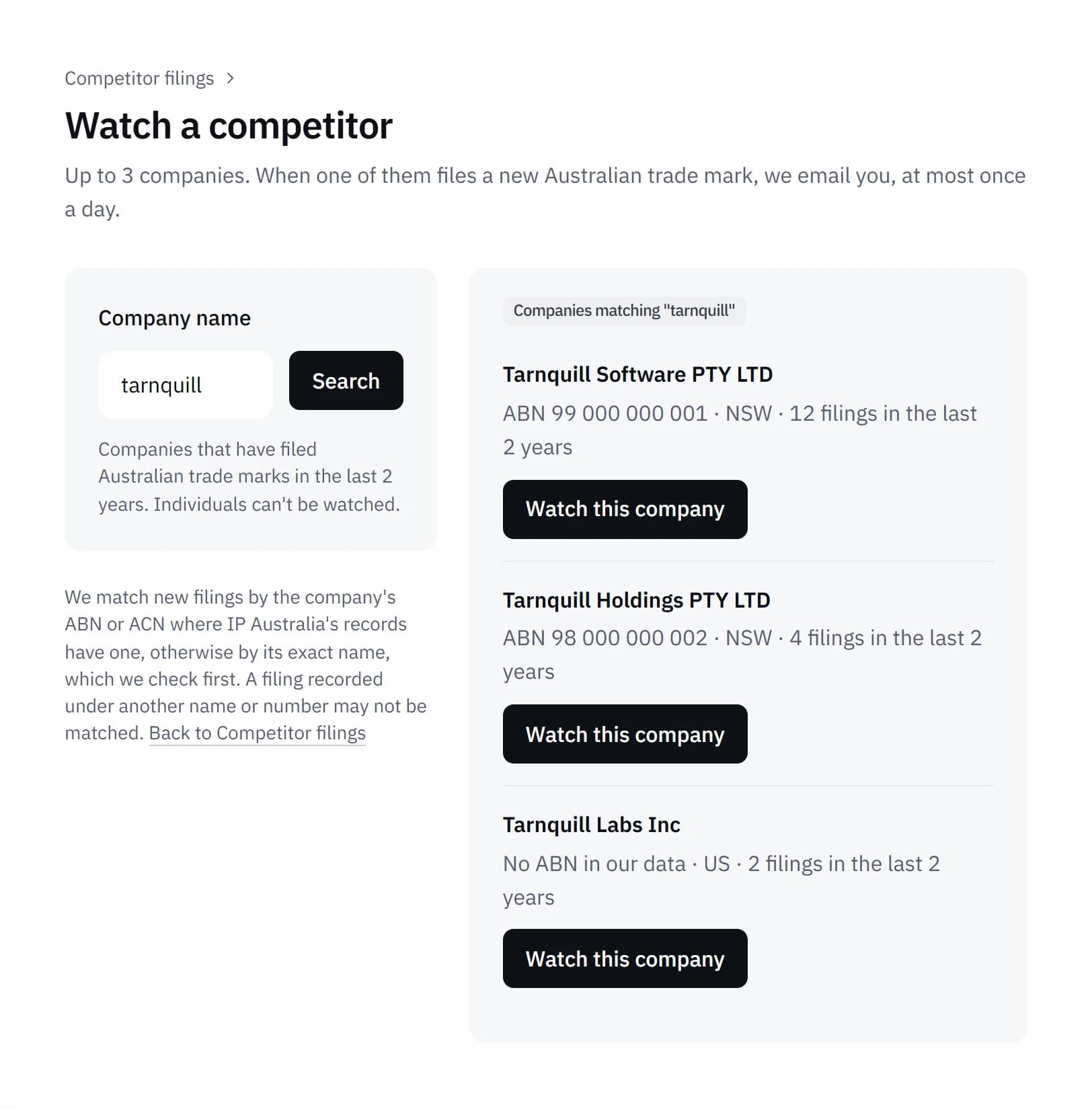
The search is by name. The ABN isn't typed in, but it decides how filings are matched afterwards. Where IP Australia's records have the company's ABN or ACN, a new filing with the same number is listed and emailed without review. Where they don't, a filing under the company's exact name is checked by a person at Vedette first.
Individuals can't be watched, so a sole trader filing in their own name won't appear in the search. A company can be removed and another added at any time.
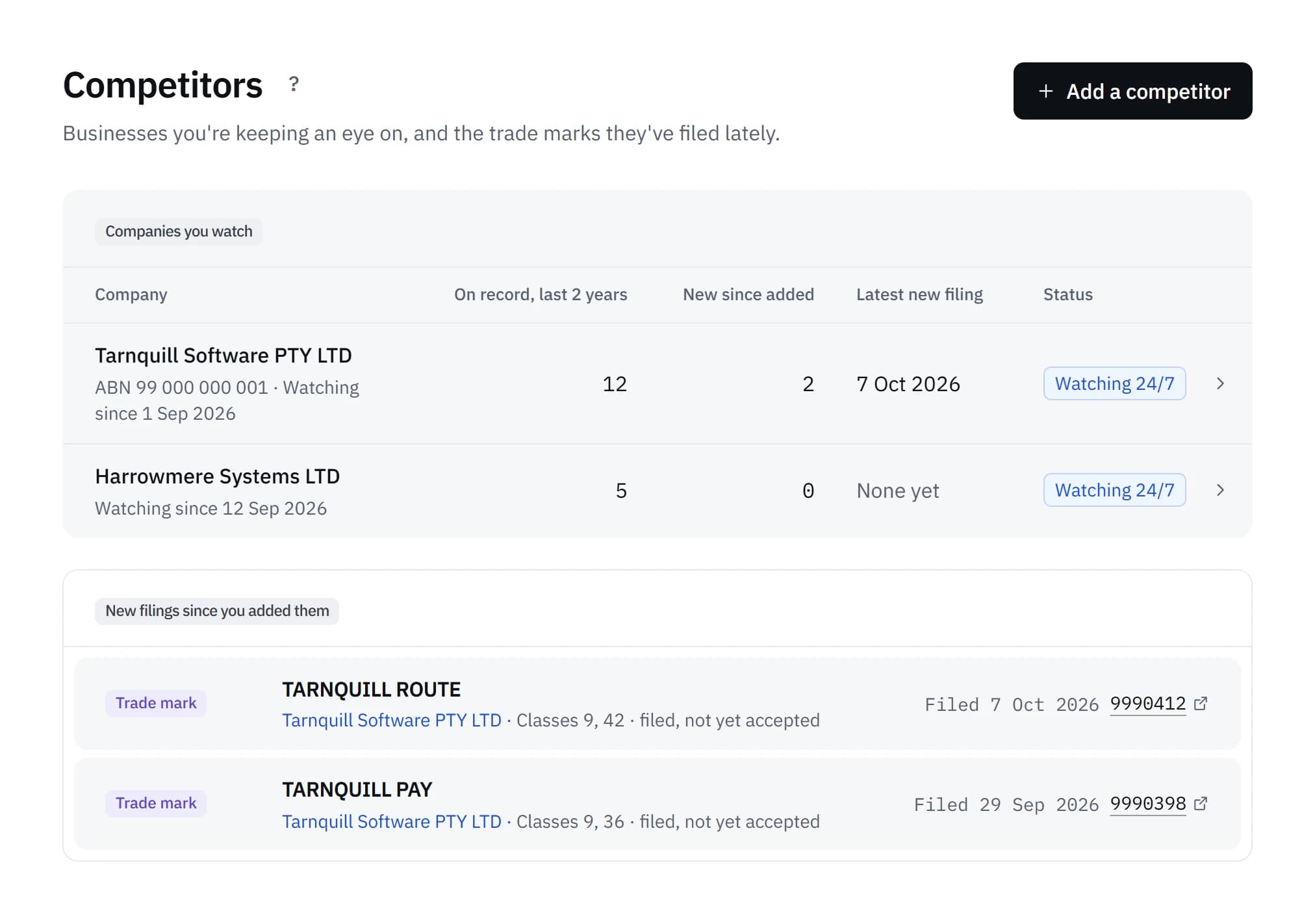
Step 4: Read the email
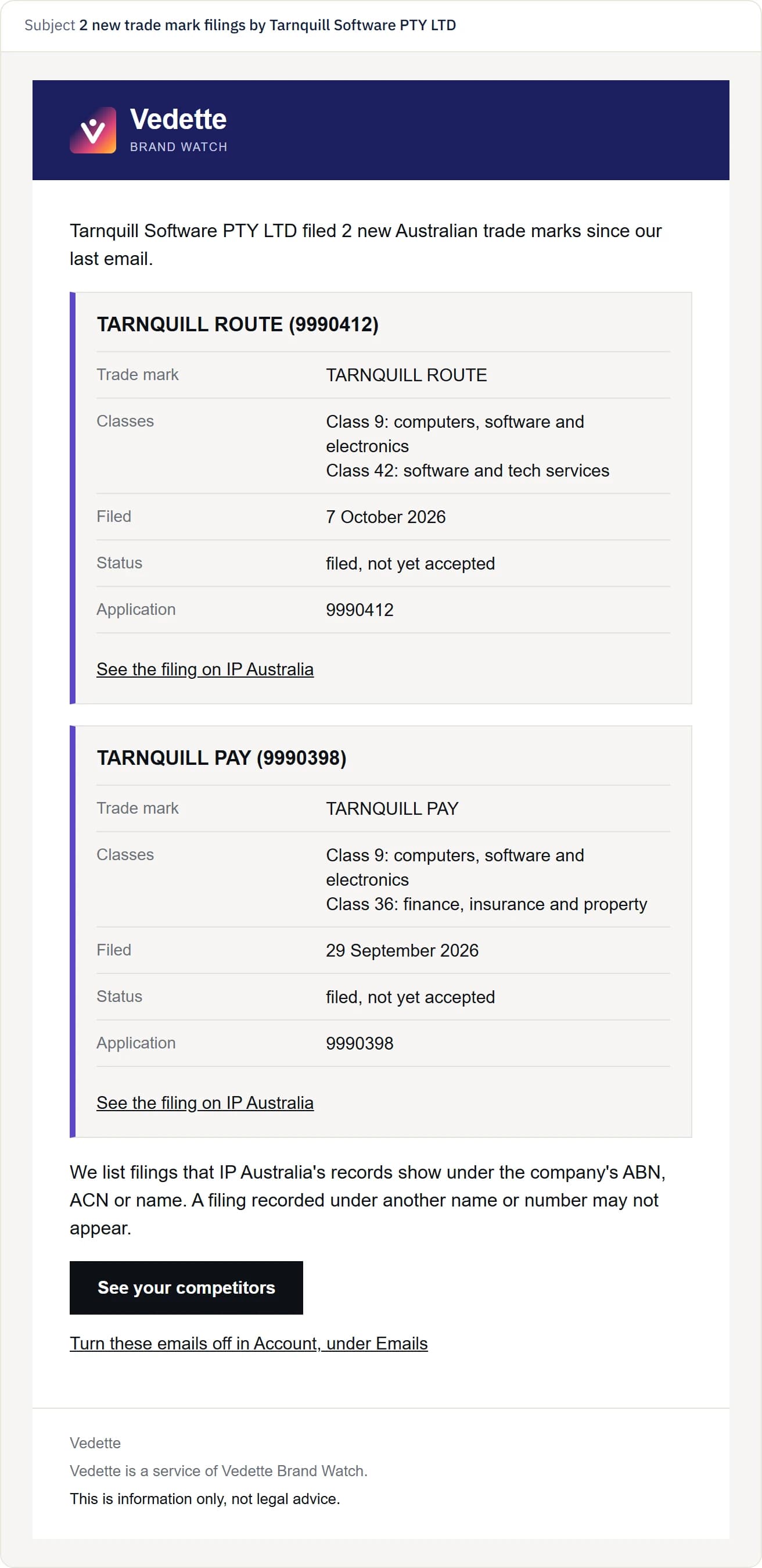
One email covers every new filing since the last one, grouped by company. Each filing shows the trade mark's words (or says it's a logo with no words), its classes, the date it was filed, its status and its application number, with a link to see the filing on IP Australia.
A status such as "filed, not yet accepted" means the application is still with IP Australia. An application isn't a registration, and our guide on how long a trade mark takes to register has figures on how many get there.
The monthly report also has a "Competitor filings" section. The daily competitor email can be turned off in Settings.
Step 5: Cover the other names a company files under
A filing recorded under another name or number isn't matched. A business can file through a related company or a trustee, and each of those is a separate owner on the register. To follow them as well, add each one as its own competitor. Each takes one place on your plan, and each has to have filed an Australian trade mark in the last 2 years to appear in the search.
Filings made in a person's own name can't be followed this way.
Step 6: Or do it by hand
IP Australia's free Australian Trade Mark Search can look up a company's trade marks by its name or its ABN, and keeps your advanced searches so they can be run again. Our guide to tracking a competitor's trade marks walks through that search, how to read a record, and our own figures on how often companies file.
If one of their filings is also close to your own name, that's a separate alert. Our guide on what to do when you get a High similarity alert covers it.
Common questions
Will the competitor know I'm watching them?
No. The trade marks register is public and Vedette reads it. Nothing is sent to the companies you choose.
How quickly will I hear about a new filing?
New filings are compared within hours of IP Australia publishing them. The email goes out at most once a day, from 8am Melbourne time, and a match by name alone is reviewed first.
Can I monitor a sole trader?
No. Only companies and other organisations can be watched, never an individual.
What if they file under a different company name?
That filing isn't matched. Add the other company too, if it has filed an Australian trade mark in the last 2 years.
Does competitor watch compare their filings with my brand?
No. Competitor emails carry no similarity level. Your brands are compared with every new filing separately, whoever files it.
Sources
- Australian Trade Mark Search (IP Australia)
- Australian Trade Mark Search help (IP Australia)
What Vedette does is described as it worked on 13 October 2026. Plans and prices are read from our pricing settings, so the table always matches the pricing page.