
Step 1: Add your first brand
The Getting started page puts this step as: "Enter your brand's words and industries. We check them against new filings." It's the only step the watch needs. Everything else adds to it.
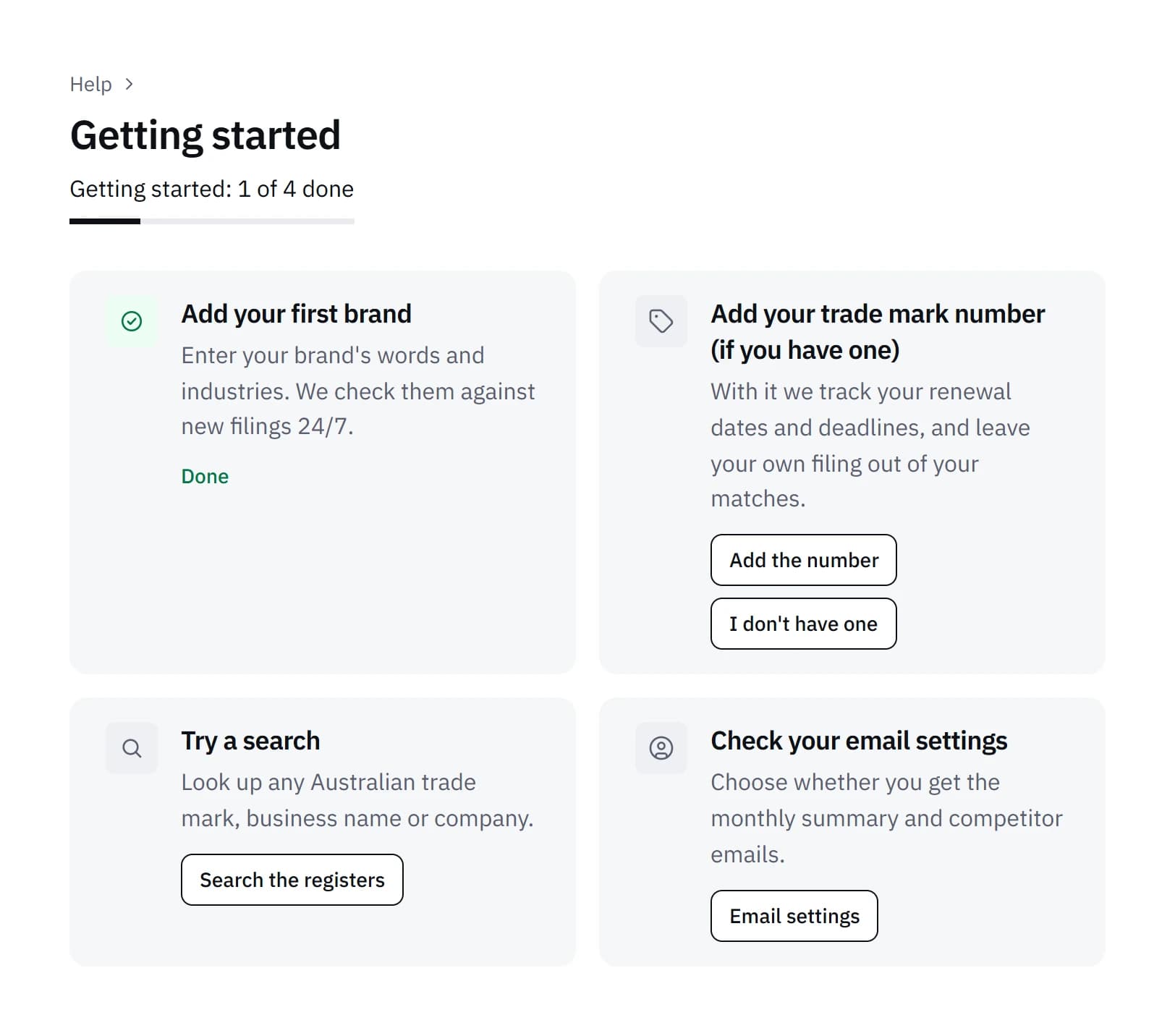
Choose "Add a brand", or open Brands and choose it there. The form asks for two things.
The words
Type your brand name or slogan as you use it, such as WUVANTA. It doesn't have to be a registered trade mark: a name you trade under is added the same way. Vedette compares the words of a name, so a logo with no words isn't compared.
The industries
Choose at least one class. "What do you sell or do?" suggests classes from a short description of your business, and each class in the list has a plain summary. Our guide to trade mark classes explains how the 45 classes work and why the choice matters.
What happens when you save it
Saving a brand starts its first check, which usually finishes within about 20 minutes. It compares your brand with the last 24 months of Australian trade mark filings and with the business and company names on ASIC's registers. What it finds is shown in your dashboard straight away and isn't emailed. After that, every new filing is compared with your brand within hours of IP Australia publishing it, and our guide to understanding your matches explains what each result means.
Each plan covers a set number of trade marks or brand names, listed on our pricing page.
Step 2: Add your trade mark number (if you have one)
The step reads: "With it we track your renewal dates and deadlines, and leave your own filing out of your matches."
The number is the one IP Australia gives an application when it's filed, and it stays the same once the trade mark is registered. You can find it by searching your brand or your business's name on IP Australia's Australian Trade Mark Search, where each record shows its number near the top.
Choose "Add the number" to open your brand's form with a box for it. With the number saved, Vedette reads IP Australia's record for that trade mark and shows its status and dates on the brand's own page: its renewal due date, any deadline to respond to IP Australia, and any opposition. We email reminders as each date comes closer, at most one email a day. The record can take a few days to update after a change, and IP Australia's records decide the actual deadline, so check each date on IP Australia's record before you rely on it.
If your brand isn't a registered trade mark, or you haven't filed one, choose "I don't have one". The step is ticked off and nothing else changes: your brand is still compared with every new filing, but without a number we can't track its dates.
Your ABN, if you have one
This is separate and also optional. In Settings, under Business details, you can add your ABN, and we leave your own business and company names out of your matches. Without it, a name you hold yourself can show up, and "This is mine" on that match hides it.
Step 3: Try a search
The step reads: "Look up any Australian trade mark, business name or company."
Choose "Search the registers" to open Search in your dashboard. It looks up the trade marks register, ASIC's business and company names and public ABN details in one place, from data we update about once a week. The first time you open it, you're asked to read and accept a short notice about how it may be used.
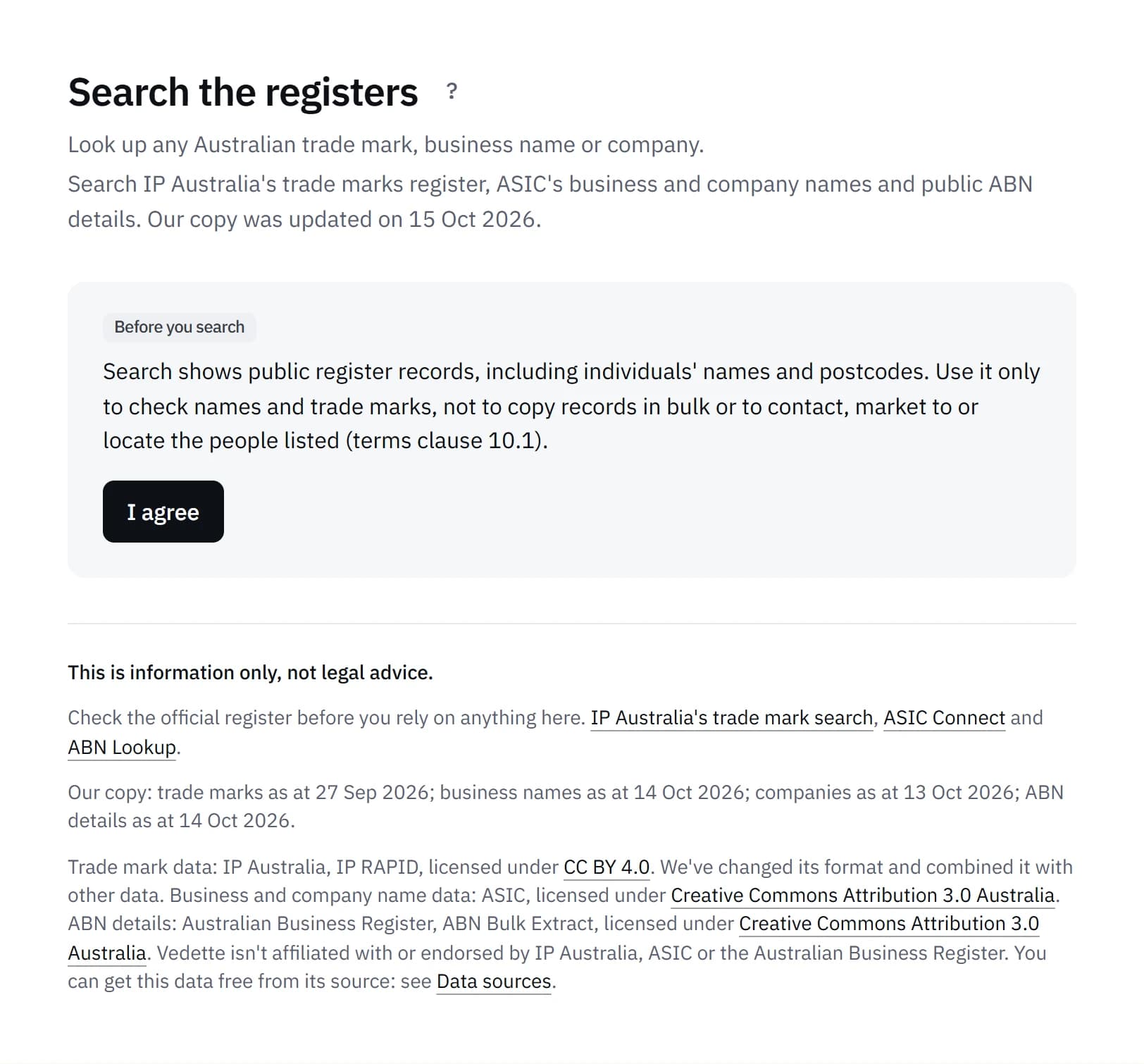
Search shows records as the registers publish them. It isn't a clearance search: a result, or no result, doesn't tell you whether a name is free to use or register. Our guide to searching the registers with Vedette covers the filters, owner pages and what Search can't do.
The step is ticked off once you've accepted the notice or made a search.
Step 4: Check your email settings
The step reads: "Choose whether you get the monthly report and competitor emails."
Choose "Email settings" to open Settings. Two emails can be switched there:
- The monthly report, on the 1st of each month: what was checked for each brand, and the matches found that month.
- The competitor email, at most once a day, when a company you watch files a new trade mark. It only applies to plans that include competitor watch.
With the monthly report off, we still email you about a new High match once it's been reviewed, and about a Medium match whose window to oppose closes within 45 days. Other matches wait in your dashboard. Opening Settings ticks the step off, whether or not you change anything.
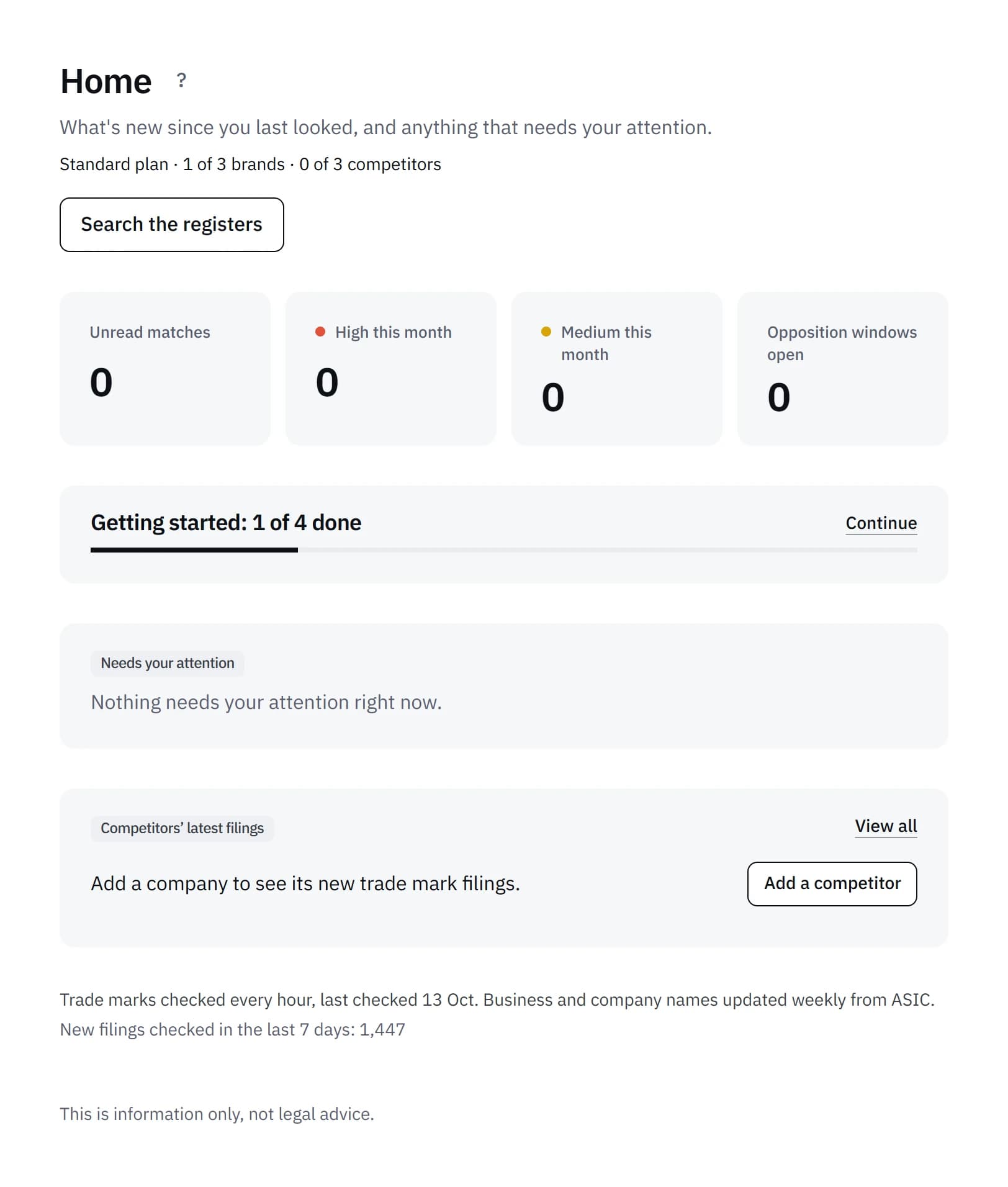
Once all four steps are done, the card leaves Home. The Getting started page stays under Help, with every step marked done.
Common questions
Do I have to finish all four steps?
No. Only the first is needed for the watch to start. The others add date tracking for a registered trade mark, show you Search, and let you choose your emails.
Where do I find Getting started after the first 30 days?
Under Help in your dashboard menu. Home only shows the card for an account's first 30 days.
What if I don't have a trade mark number?
Choose "I don't have one". Your brand is still compared with every new trade mark filing, and with each week's new business and company names. Without the number we can't show its status or track its renewal date.
Can I add more than one brand?
Yes. Each plan covers a set number of trade marks or brand names, shown on our pricing page, and each one has its own first check. Our guide on how to monitor your business name goes through the brand form in more detail.
Sources
- Australian Trade Mark Search (IP Australia)
- Business names register (ASIC)
What Vedette does is described as it worked on 17 October 2026.